
Guide
Keep Structure vs Full Renovation: which to choose
By RivAI Team at PixelPort LLC · Published · How we write guides
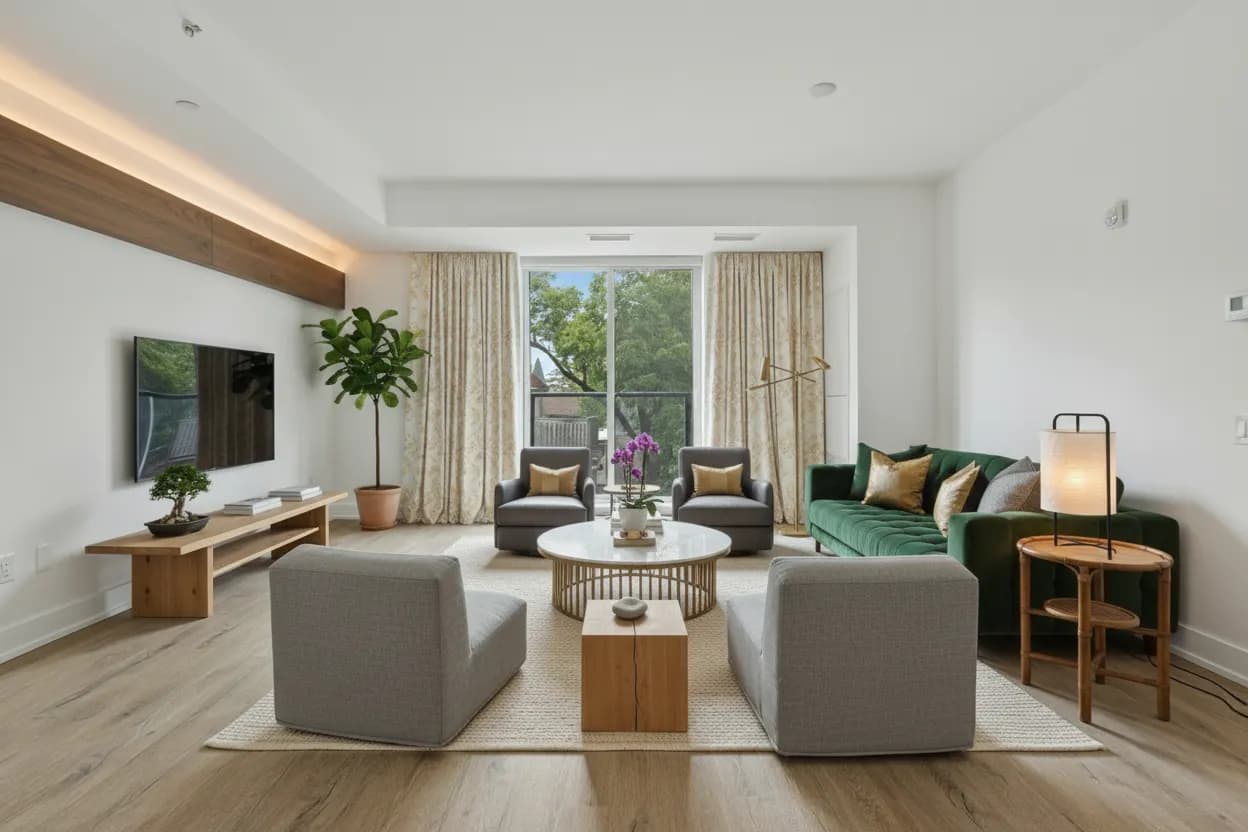
The short answerKeep Structure repaints, refloors and restyles your room while preserving walls, windows and furniture positions, so it suits rentals and quick updates. Full Renovation reimagines the layout itself, moving or replacing everything, so it suits remodel planning and awkward rooms. Run both on the same photo and compare.
What do the two modes actually change?
RivAI offers two intensity levels for every redesign, and choosing between them is the most important decision after the style itself. Keep Structure treats your room's bones as fixed: wall positions, window and door openings, ceiling lines and the general furniture layout stay put, while surfaces, colors, materials, lighting and decor are transformed. A beige rental living room becomes a Japanese-style retreat, but the sofa is still where the sofa was.
Full Renovation releases those constraints. The AI rethinks the room from the architecture outward: furniture moves to better positions, layouts change, built-ins appear, and the space is reimagined as if a designer gutted it. Both modes produce a photorealistic result in about 30 seconds on Standard from a single photo, and both work across all 43 styles. The difference is not quality; it is how much of your reality the render is allowed to touch.
A useful mental model: Keep Structure is a restyling, Full Renovation is a remodel. Restyling covers anything you could buy in a store or hire a painter for, meaning color, textiles, furniture swaps and decor. Remodeling covers anything that needs a floor plan, a contractor or a landlord's written permission. If your project brief fits in a shopping cart, start with Keep Structure; if it fits in a spreadsheet of quotes, start with Full Renovation.
When does Keep Structure win?
Keep Structure wins whenever the layout is fixed by contract, budget or common sense. If you cannot move walls or replace furniture, a render that does those things is entertainment, not planning. Keep Structure answers the question most people actually have: what would my room look like if I changed the surfaces and styling?
- Rentals: you cannot move walls, but you can preview removable changes like paint color, curtains, rugs and lighting before asking the landlord or spending money.
- Paint and flooring decisions: test an exact hex color on your walls or a new floor finish while the render keeps everything else recognizably yours.
- Furnished homes you live in: see a Scandinavian or minimalist restyle around your actual sofa and window positions instead of a fantasy layout.
- Showing potential: illustrate what a dated room could become with cosmetic work, labeled clearly as an AI concept, without implying structural changes.
- Historic or awkward architecture: keep exposed beams, niches or radiators in place and test styles that work with them rather than erasing them.
When does Full Renovation win?
Full Renovation wins when the layout itself is the problem. If the room has never worked, no paint color will fix it, and a render that preserves the bad layout just confirms what you already know. Full Renovation answers a bigger question: what could this room become if I started over?
- Remodel planning: explore layouts before an architect or contractor draws anything, so you arrive at that meeting with a visual brief.
- Awkward rooms: long narrow living rooms, L-shaped spaces and rooms with off-center windows often need furniture moved, not restyled.
- Empty or new-build rooms: with nothing to preserve, there is nothing for Keep Structure to keep.
- Style overhauls: going from traditional to minimalist or industrial usually requires different furniture, not just different colors.
- Empty rooms you are moving into: a redesign of an empty-room photo adds furniture in your chosen style, which is a useful preview for move-in planning. It is a concept image, not an MLS-ready staging product.
What mistakes do people make when choosing a mode?
The most common mistake is using Full Renovation for a decision that Keep Structure should answer. If you are choosing a paint color, a render that also moved your sofa and rebuilt the fireplace muddies the comparison, because you cannot tell how much of the improvement came from the paint. Match the mode to the decision: surface decisions get Keep Structure, layout decisions get Full Renovation.
- Do not present Full Renovation renders to contractors as plans; they are mood and direction references, not dimensioned drawings.
- Do not judge a style only in Full Renovation; the dramatic layout can flatter a style that fails in your actual room shape.
- Do not use Keep Structure to evaluate whether a room needs re-planning; it will politely preserve the very problem you are trying to diagnose.
- Do not compare renders from different photos; shoot once and run both modes on the same image so only the mode changes.
Which mode wins room by room?
Living rooms
Start with Keep Structure if your sofa and TV wall are staying; most living room updates are surface-deep. Switch to Full Renovation when the conversation area feels wrong, when two focal points fight, for example a fireplace and a TV on different walls, or when the room is a through-route that needs zoning into seating and circulation.
Bedrooms
Bedrooms are usually Keep Structure territory: the bed position is dictated by doors and windows, and the transformation people want is calmer colors, better textiles and lighting. Use Full Renovation for small bedrooms where the bed blocks a closet or window, because moving the bed is the actual fix and the render will show it.
Kitchens and bathrooms
For cosmetic refreshes, Keep Structure is remarkably effective: new cabinet colors, counters, backsplash and hardware transform a kitchen at a fraction of replacement cost, and the render shows exactly that scope. Reserve Full Renovation for genuine remodels where cabinets, island position or plumbing will move, and treat the render as a mood and layout brief, not a construction document.
Exteriors and gardens
Keep Structure is the honest choice for houses: rooflines and window positions are expensive to change, so preview new cladding, paint with an exact hex color, and landscaping around the architecture you have. Full Renovation shines on blank or neglected gardens, where re-zoning the plot is the entire point of the project. For a new-build backyard with nothing worth keeping, run Full Renovation in several styles and treat the results as competing layout proposals.
How should you use both modes together?
The most useful workflow treats the two modes as a bracket around reality. Photograph the room once, then generate the same style in both modes. Keep Structure shows what is achievable this month with paint, textiles and decor. Full Renovation shows the ceiling of what the room could be. Anything both renders agree on, a color direction, a material, a lighting mood, is a safe decision. Anything only Full Renovation shows is a renovation decision to cost out separately.
- Photograph the room in good daylight, phone horizontal, showing the main wall and windows.
- Pick one style from the 43 available and generate it in Keep Structure mode.
- Generate the same style again in Full Renovation mode on the same photo.
- Compare both renders against the original with the before and after slider.
- List the changes the two renders share; those are your low-cost action items.
- List what only Full Renovation changed; price those items before committing.
RivAI is free to try, so you can bracket your first style in both modes before paying anything. That is often enough to eliminate the style you thought you wanted. Pro is $9.99 a week or $39.99 a year in the US, with a 3-day free trial on the annual plan; subscribers do not spend credits, which matters when you iterate across many rooms.
Put this guide to work: AI interior design, AI room planner and rearrange your room.
Related
FAQ
What is the difference between Keep Structure and Full Renovation?
Keep Structure preserves your room's walls, windows and furniture layout while changing surfaces, colors, materials and decor. Full Renovation reimagines the layout itself, moving and replacing elements freely. Both produce a photorealistic render from one photo in about 30 seconds on Standard.
Which mode should renters use?
Keep Structure. It only shows changes you could realistically make: paint, curtains, rugs, lighting and furniture styling, while keeping the landlord's walls and layout intact. A Full Renovation render of a rental is fun but rarely actionable.
Is Full Renovation better quality than Keep Structure?
No, both modes use the same quality tiers and the same 43 styles. The difference is scope, not fidelity. Keep Structure is more conservative with your room's geometry; Full Renovation is more creative with it.
Can I switch modes on the same photo?
Yes, and you should. Running one style in both modes on the same photo shows you the low-cost version and the full-potential version side by side. The before and after slider makes the comparison against your real room easy.
Does Keep Structure work for exterior photos?
Yes. For houses it is usually the right choice, because rooflines, windows and doors are expensive to change. Keep Structure previews new paint with exact hex colors, cladding and landscaping while preserving your architecture. Full Renovation suits gardens and blank plots better.
Last updated 2026-10-09



Try it on your own room
Snap it, pick a style, see it redesigned in about 30 seconds.
Free to try · 3-day free trial on annual · Cancel anytime
