RivAI

AI Room Planner · iPhone app

AI room planner: try new layouts on a photo of your room

An AI room planner lets you test design decisions on a photo of your actual room before spending money. RivAI has two modes: Keep Structure keeps your walls, windows and layout and changes finishes, while Full Renovation rethinks layout and furniture. Each experiment renders in about 30 seconds, so you can compare several directions quickly.

Download on theApp Store

Free to try · 3-day free trial on annual · Cancel anytime

4.88★ (16 ratings) on the App Store
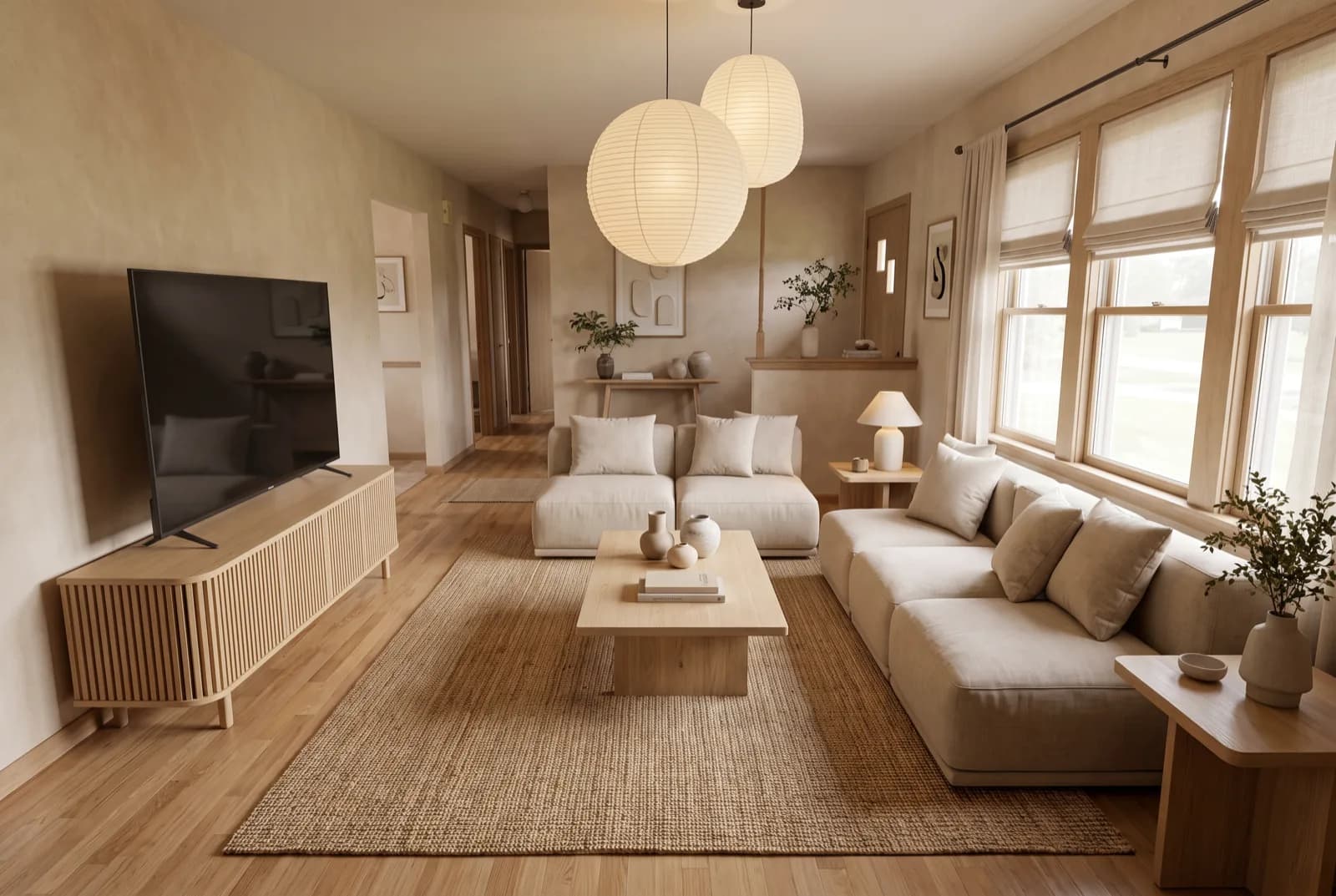
AI-generated sample redesign: Same living room redesigned in Japandi style: light oak, linen sofa and paper lantern lighting, after
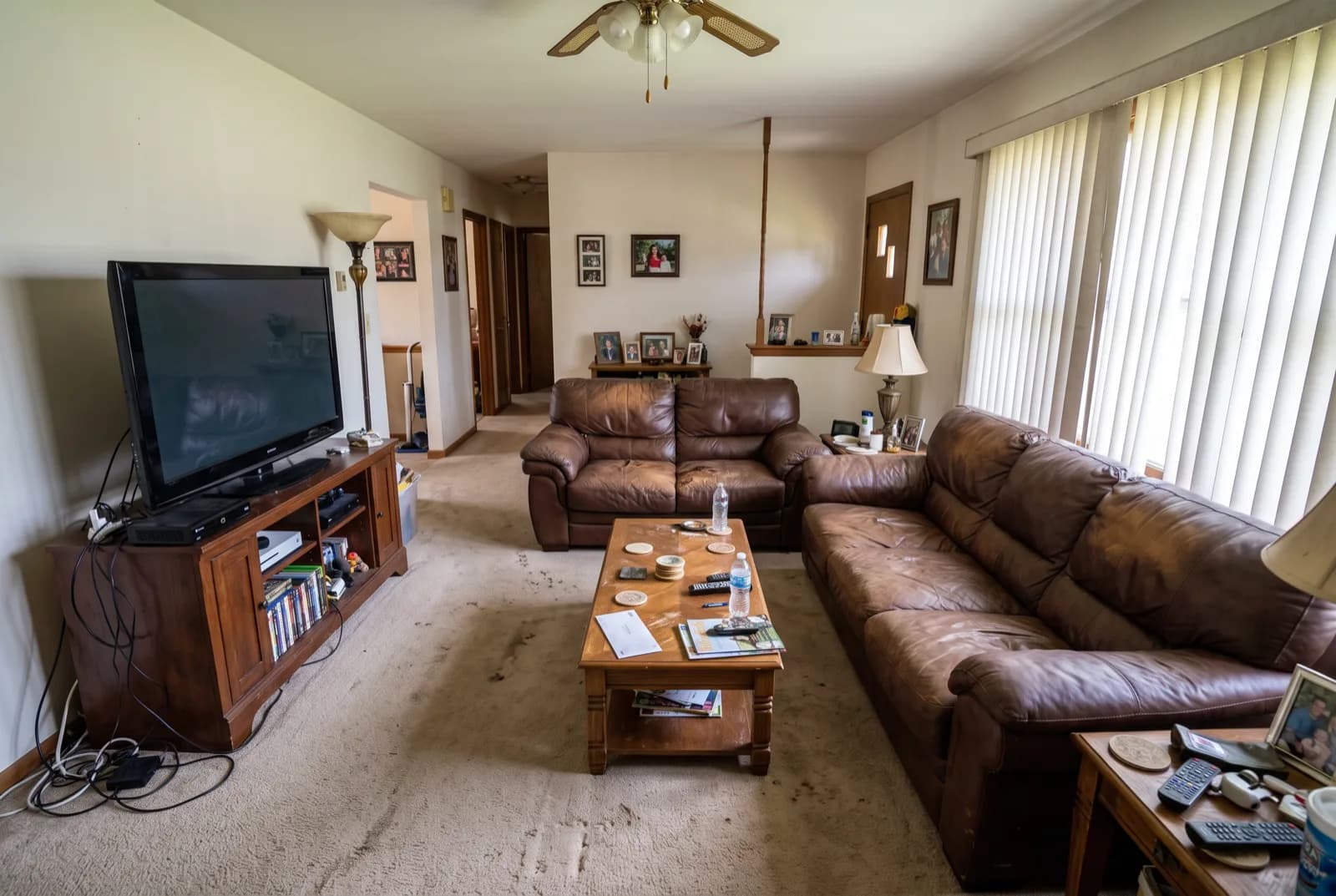
AI-generated sample redesign: Same living room redesigned in Japandi style: light oak, linen sofa and paper lantern lighting, before
BeforeAfterSample render

How to plan a room redesign with AI

  1. 1Photograph the room and render it in Keep Structure mode to see finishes-only changes.
  2. 2Render the same photo in Full Renovation mode to explore new layouts.
  3. 3Compare 3 to 5 styles; every render is saved in the Recent tab.
  4. 4Narrow to one style, then iterate: repaint in exact colors, swap flooring, replace key pieces.
  5. 5Save your favorite renders to Photos as a brief for shopping and contractors.

Keep Structure vs Full Renovation: which mode when?

FeatureKeep StructureFull Renovation
What changesFinishes and decorLayout and furniture too
Best forRentals, refresh projects, realistic budgetsRemodel planning, dream scenarios
Keeps your walls, windows and layoutYesNo, the AI rethinks it
Typical question'What would my room look like in Scandinavian?''What could this room become?'

A planning workflow that prevents expensive mistakes

Renovation regret often comes from committing before comparing. A better order: first compare styles (5 renders, same photo), then compare color palettes within the winning style, then test the single biggest purchase (sofa, bed or table) with the Replace tool. Only then spend money. Each step costs one render instead of one return shipment.

From render to reality

RivAI renders are direction-setters, not construction documents: the app does not measure rooms, draw floor plans or estimate costs. Use renders to lock the palette, the style and the key pieces, then measure and source. The style pages on this site list five palette colors per style, and the Paint tool tests exact colors on your walls.


More ways to use RivAI: AI room design app, AI interior design, interior design style quiz, rearrange your room and studio apartment ideas.

FAQ

Can an AI room planner replace an interior designer?

For finding a direction, it can go a long way: you can compare many styles and palettes on your own photo. For measurements, electrical plans and sourcing, a designer or contractor still adds value, and AI renders make those conversations more concrete.

How many variations can I try?

RivAI is free to try, so you can test a few directions before paying. Pro ($9.99 a week or $39.99 a year in the US, with a 3-day free trial on annual) means you don't spend credits per design. Each Standard render takes about 30 seconds.

Does it work for small or awkward rooms?

Yes. Keep Structure is especially useful in small rooms because it keeps your real walls, windows and layout while changing everything visual.

Can I plan exteriors the same way?

Yes, the same two modes apply to exteriors, gardens and yards. See AI exterior design.

Last updated 2026-10-09

4.88★ (16 ratings) on the App Store

See it on your own space

Snap it, pick a style, see it redesigned in about 30 seconds.

Download on theApp Store

Free to try · 3-day free trial on annual · Cancel anytime

RivAI: AI Home Design

4.88 (16 ratings) · Free to try

Get app
