RivAI

Virtual Staging · iPhone app

See an empty room furnished: an AI virtual staging preview

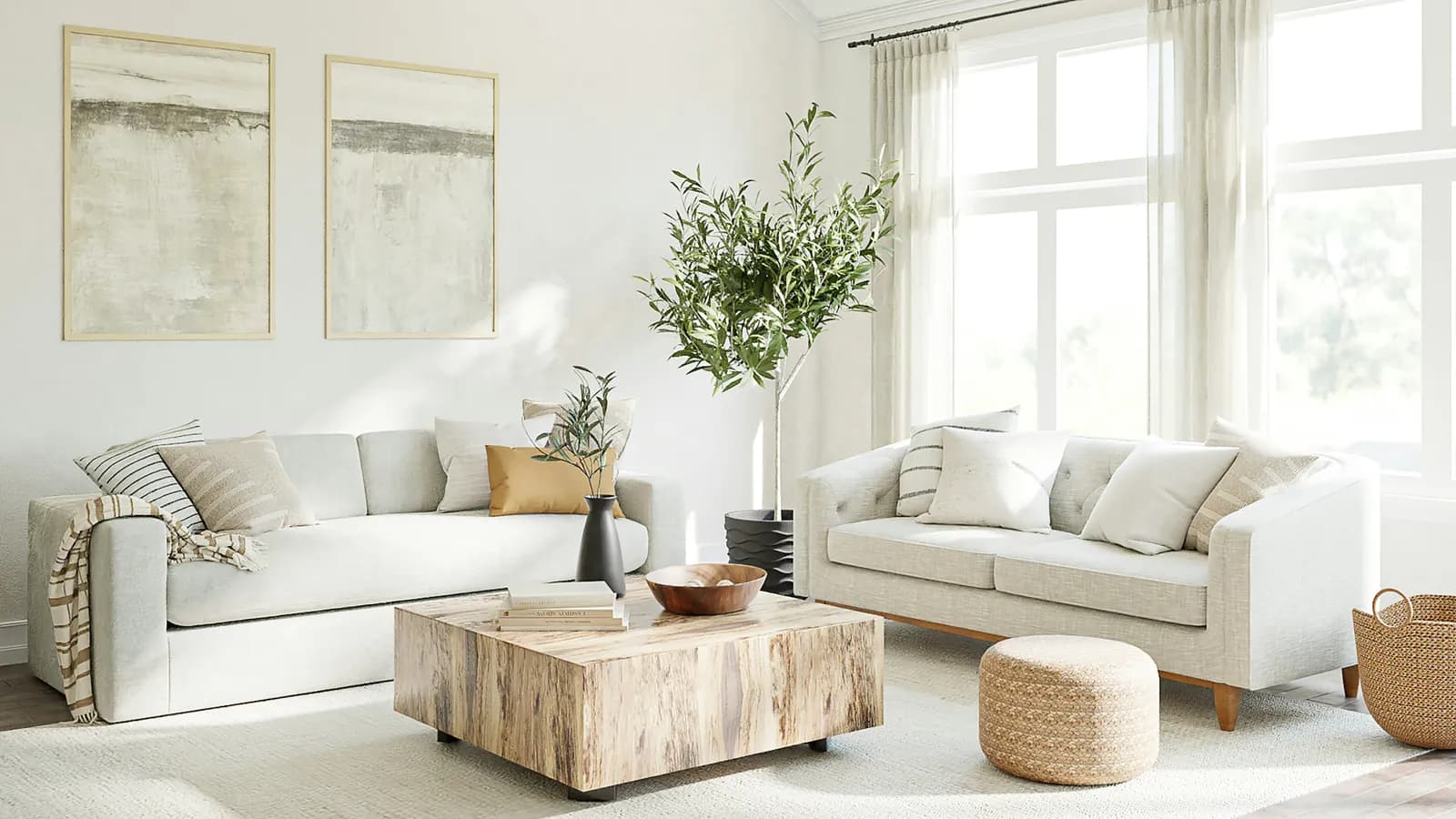
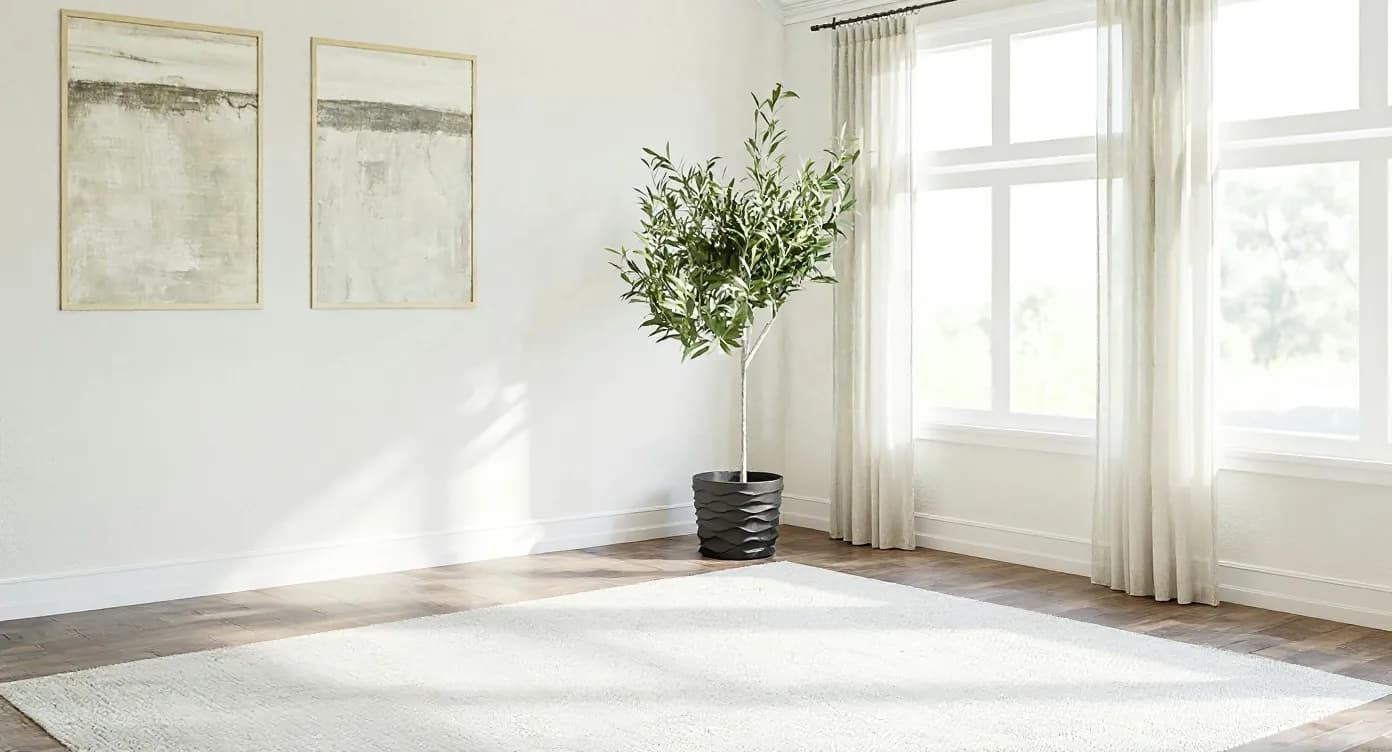
Virtual staging digitally adds furniture to photos of empty rooms. RivAI is not a dedicated staging service, but you can redesign a photo of an empty room in one of 43 styles, and the render adds furniture as a preview in about 30 seconds. If a render goes into a listing, label it as virtually staged.

Download on theApp Store

Free to try · 3-day free trial on annual · Cancel anytime

4.88★ (16 ratings) on the App Store
Sample empty room furnished by the AI models behind RivAI, after
Sample empty room furnished by the AI models behind RivAI, before
BeforeAfterSample render

How to preview an empty room furnished with RivAI

  1. 1Photograph the empty room in daylight, as level and wide as you can.
  2. 2Choose Interior Design, set the room type and pick a style such as Scandinavian, Modern or Contemporary.
  3. 3Render in about 30 seconds and compare with the before/after slider.
  4. 4Try 2 or 3 styles on the same photo to see which direction suits the space.
  5. 5If you publish a render, label it as virtually staged and keep the original photo alongside it.

What RivAI does, and what it does not

RivAI is a redesign app. When you restyle a photo of an empty room, the render usually adds furniture and decor in the chosen style, which makes it a quick way to picture what a vacant room could look like. It is not a professional virtual staging service: renders are not checked for MLS requirements, the AI may also change finishes, and free results carry a watermark.

Tool in RivAIWhat it doesUse it when
Interior redesign on an empty roomRestyles the photo; the render adds furniture as a previewYou want to picture a vacant room furnished
Empty SpaceRemoves all furniture to show the bare roomYou want the opposite: an empty view of a furnished room
ReplaceBrush an area and describe what goes thereYou want one piece added or swapped

Which rooms are worth previewing first?

Start with the rooms that are hardest to read when empty: the living room, the primary bedroom and any odd-shaped space. Empty rooms often look smaller in photos because there is nothing to judge scale against. Neutral styles such as Scandinavian, Modern and Simple Living give the most broadly useful previews; save bold styles like Cyberpunk for your own home.

Disclosure rules

If a virtually furnished or edited photo is used to market a property, label it clearly (for example "virtually staged") and keep the original unedited photo in the listing too. MLS rules and local laws set the exact requirements, so check yours. Never use AI to hide permanent features, views or defects.


More ways to use RivAI: AI room design app, remove objects from room photos, AI interior design and free virtual staging.

FAQ

Is virtual staging legal for real estate listings?

Generally yes, with clear disclosure. Listings must label virtually altered photos, and permanent features (views, fixtures, defects) must not be misrepresented. Rules vary by MLS and location, so check the ones that apply to you.

Is RivAI a virtual staging tool?

Not in the professional sense. RivAI redesigns room photos; redesigning a photo of an empty room adds furniture as a preview. It does not produce MLS-ready staging, and RivAI makes no promise about how a listing performs.

Can RivAI empty a furnished room?

Yes. The Empty Space tool removes all furniture to show the bare room. It does the opposite of staging. You can then restyle that empty photo in any of 43 styles to preview a different furnished look.

What style works best for previewing an empty room?

Neutral, warm and broadly appealing styles: Scandinavian, Modern, Contemporary and Simple Living. Avoid polarizing looks if the goal is helping other people picture themselves in the space.

Last updated 2026-10-09

4.88★ (16 ratings) on the App Store

See it on your own space

Snap it, pick a style, see it redesigned in about 30 seconds.

Download on theApp Store

Free to try · 3-day free trial on annual · Cancel anytime

RivAI: AI Home Design

4.88 (16 ratings) · Free to try

Get app
