RivAI

AI Interior Design · iPhone app

AI interior design: restyle your real room from one photo

AI interior design uses software to restyle a photo of your real room into a new look, changing walls, floors, furniture and decor while keeping the room recognizable. In RivAI, take one photo, pick one of 43 styles, choose Keep Structure or Full Renovation, and get a render in about 30 seconds.

Download on theApp Store

Free to try · 3-day free trial on annual · Cancel anytime

4.88★ (16 ratings) on the App Store
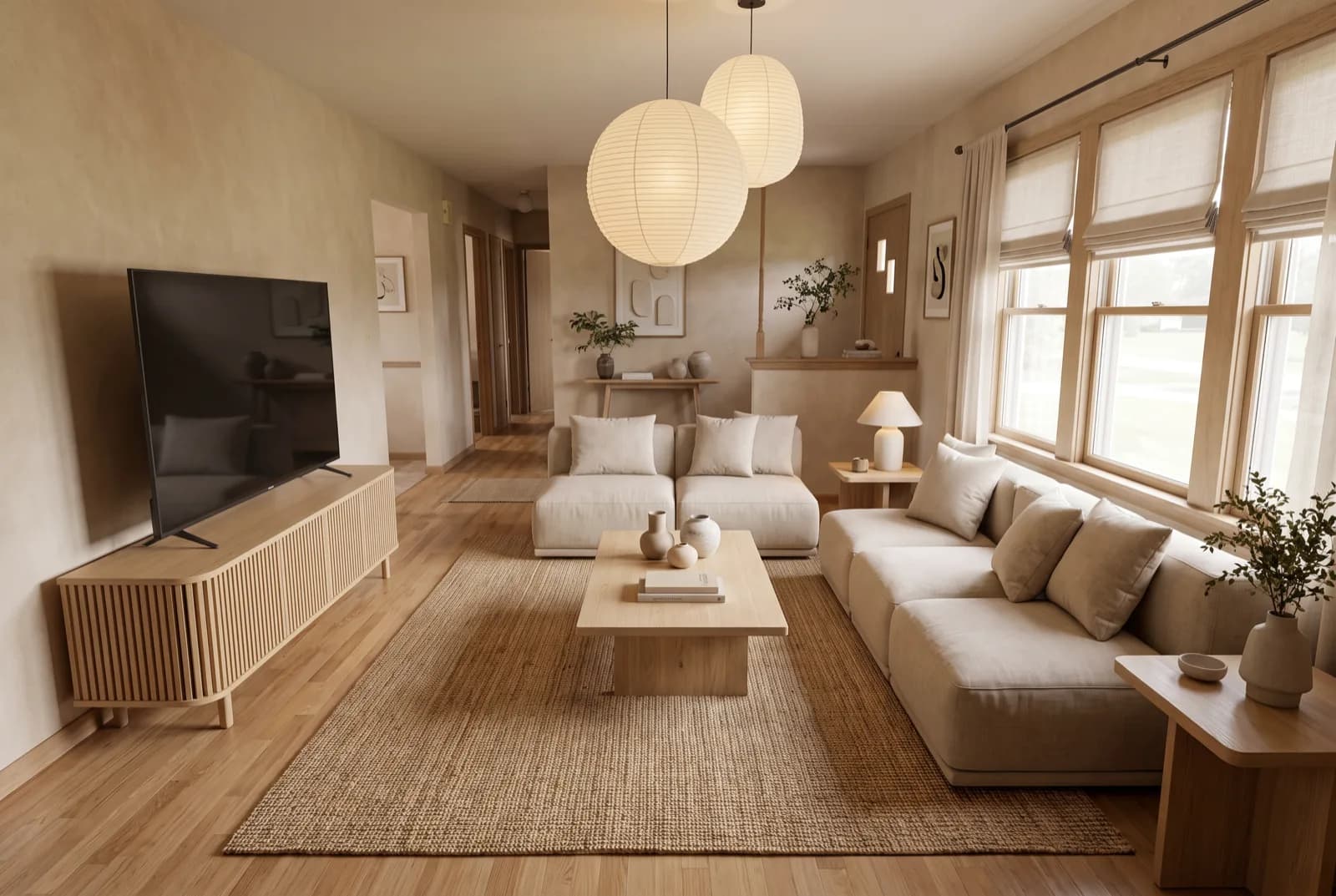
AI-generated sample redesign: Same living room redesigned in Japandi style: light oak, linen sofa and paper lantern lighting, after
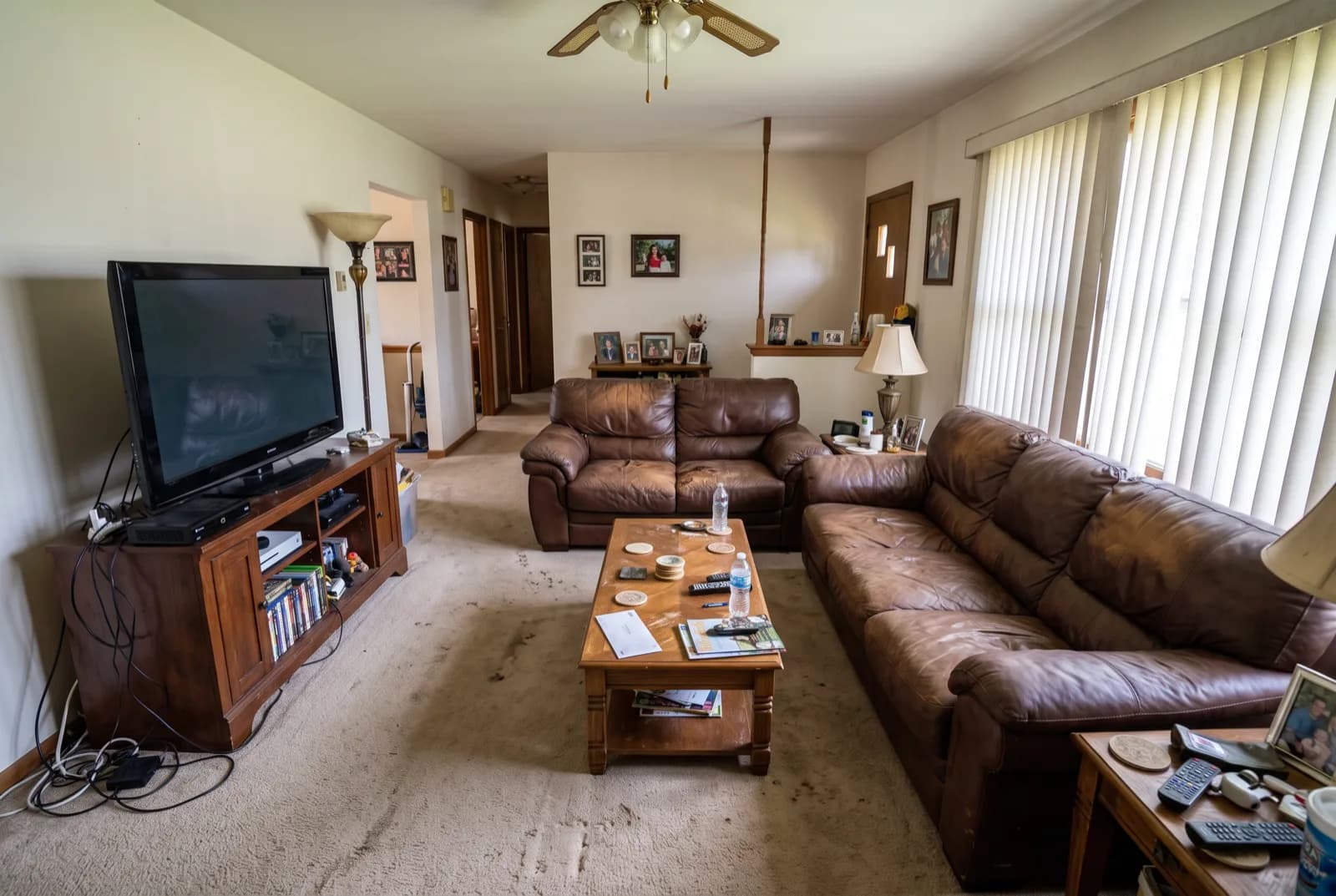
AI-generated sample redesign: Same living room redesigned in Japandi style: light oak, linen sofa and paper lantern lighting, before
BeforeAfterSample render

How to redesign a room with AI

  1. 1Open RivAI on your iPhone or iPad and take a photo of the room. Daylight and a horizontal frame work best.
  2. 2Choose Interior Design and pick one of 43 styles, from Scandinavian to Cyberpunk.
  3. 3Pick Keep Structure to keep your layout, or Full Renovation to let the AI rethink everything.
  4. 4Wait about 30 seconds for the render on the Standard tier.
  5. 5Drag the before/after slider to compare, then keep editing: paint, floor, replace or remove objects.

What can AI interior design actually change?

Everything visible in the photo: wall colors and finishes, flooring, curtains, furniture, lighting and decor. With Keep Structure the app keeps your walls, windows and layout and changes finishes and decor; Full Renovation is free to rethink the layout and furniture too. That distinction matters: renters and people who like their layout get realistic results, while planners can explore bolder changes.

Which styles can I try?

RivAI ships 43 styles: Scandinavian, Minimalist, Modern, Contemporary, Japanese, Zen, Mid-Century, Industrial, Bohemian, Modern Boho, Coastal, Mediterranean, Tropical, Nautical, French, French Country, Parisian, Traditional, Neoclassic, Vintage, Retro, Rustic, Shabby Chic, Art Deco, Art Nouveau, Hollywood Glam, Luxury, Biophilic, Tribal and more, plus six seasonal looks such as Christmas and Halloween. You can steer any of them with one of 6 color palettes or a short text prompt.

How accurate are the results?

Results are AI-generated previews of your own photo, not measurements or construction drawings. Use them to decide direction, not to order furniture to size. The Standard tier renders in about 30 seconds; the High Quality tier for Pro subscribers takes up to about 2 minutes and produces finer detail. If a result misses, regenerate or fix one area with the editing tools.

FeatureStandard tierHigh Quality (Pro)
Render timeAbout 30 secondsUp to about 2 minutes
Detail levelGood for style decisionsFiner detail and materials
CostFree to try, then ProPro subscription
WatermarkYes on free resultsNo

More ways to use RivAI: AI room design app, paint color visualizer, interior color palette generator, AI virtual staging preview, remove objects from room photos, AI room planner, interior design style quiz, best AI interior design apps, free AI interior design apps and ChatGPT for interior design.

FAQ

Is AI interior design free?

Some AI interior design is free. RivAI is free to try, then Pro costs $9.99 per week or $39.99 per year in the US, and the annual plan starts with a 3-day free trial. Pro unlocks the High Quality tier and removes the watermark. Web tools like RoomGPT offer a small free allowance; check each tool's current limits before you commit.

Do I need to measure my room or draw a floor plan?

No. RivAI works from a single photo, with no measurements, floor plans or 3D scanning. For best results, shoot in daylight with as much of the room in frame as you can.

Can AI interior design keep my existing layout?

Yes. Choose Keep Structure, which keeps your walls, windows and layout and changes finishes and decor. Full Renovation rethinks the layout and furniture as well.

Can I edit the result afterwards?

Yes. RivAI has 11 tools in total, and a finished result can be edited again with Replace, Paint, Floor or Remove: repaint a surface in an exact color, change the flooring, swap one object or erase clutter.

Last updated 2026-10-09

4.88★ (16 ratings) on the App Store

See it on your own space

Snap it, pick a style, see it redesigned in about 30 seconds.

Download on theApp Store

Free to try · 3-day free trial on annual · Cancel anytime

RivAI: AI Home Design

4.88 (16 ratings) · Free to try

Get app


