RivAI

Garden Design AI · iPhone app

AI landscape design: redesign your yard from one photo

AI garden design restyles a photo of your actual yard, including planting, paths, zones, furniture and lighting, into a new landscape concept. In RivAI, photograph your garden, backyard, patio or pool area, pick a style like Mediterranean, Tropical or Japanese, and see a photorealistic preview in about 30 seconds. RivAI is free to try.

Download on theApp Store

Free to try · 3-day free trial on annual · Cancel anytime

4.88★ (16 ratings) on the App Store
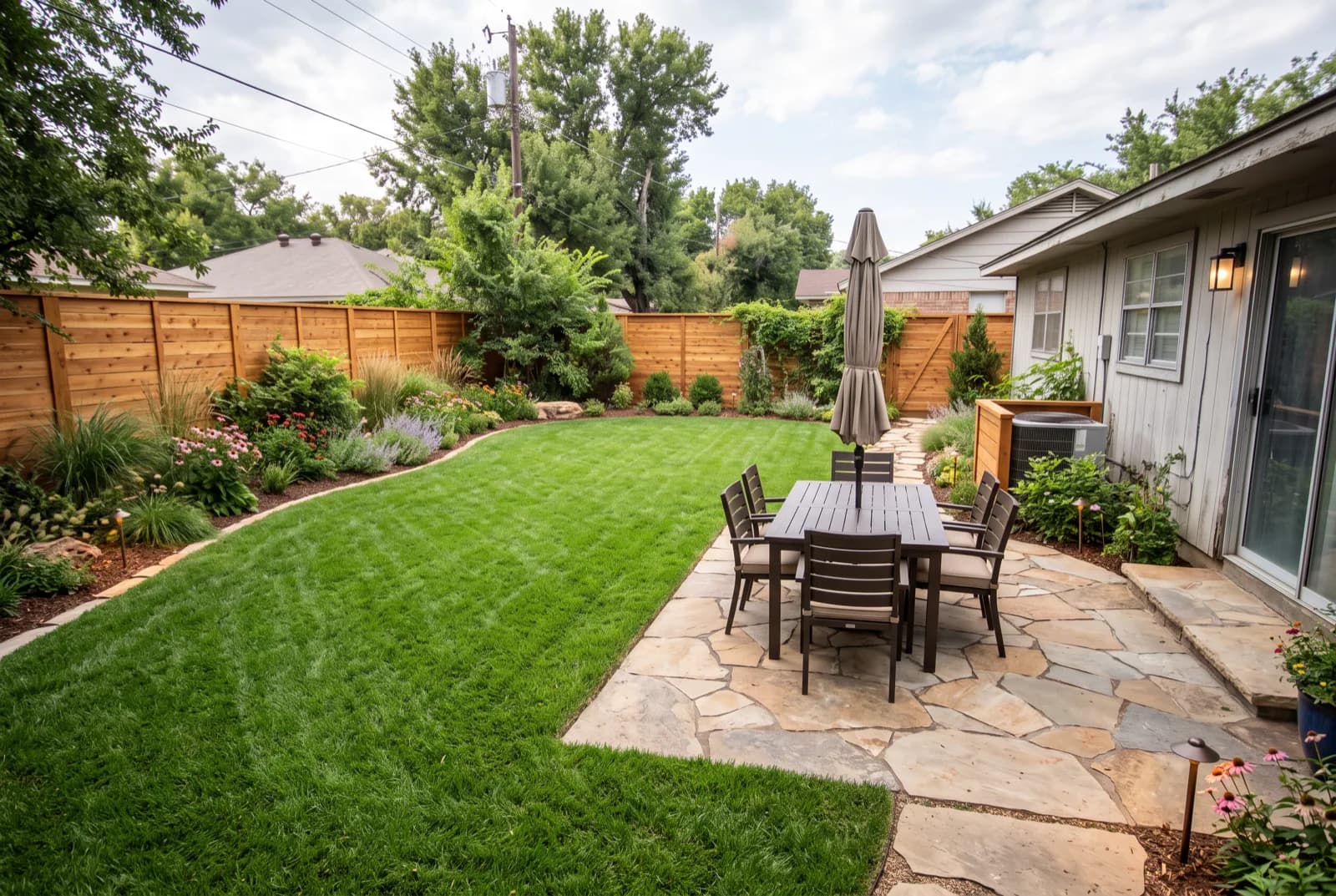
AI-generated sample redesign: Same backyard redesigned as a landscaped garden: lush lawn, planting beds, stone patio and dining set, after
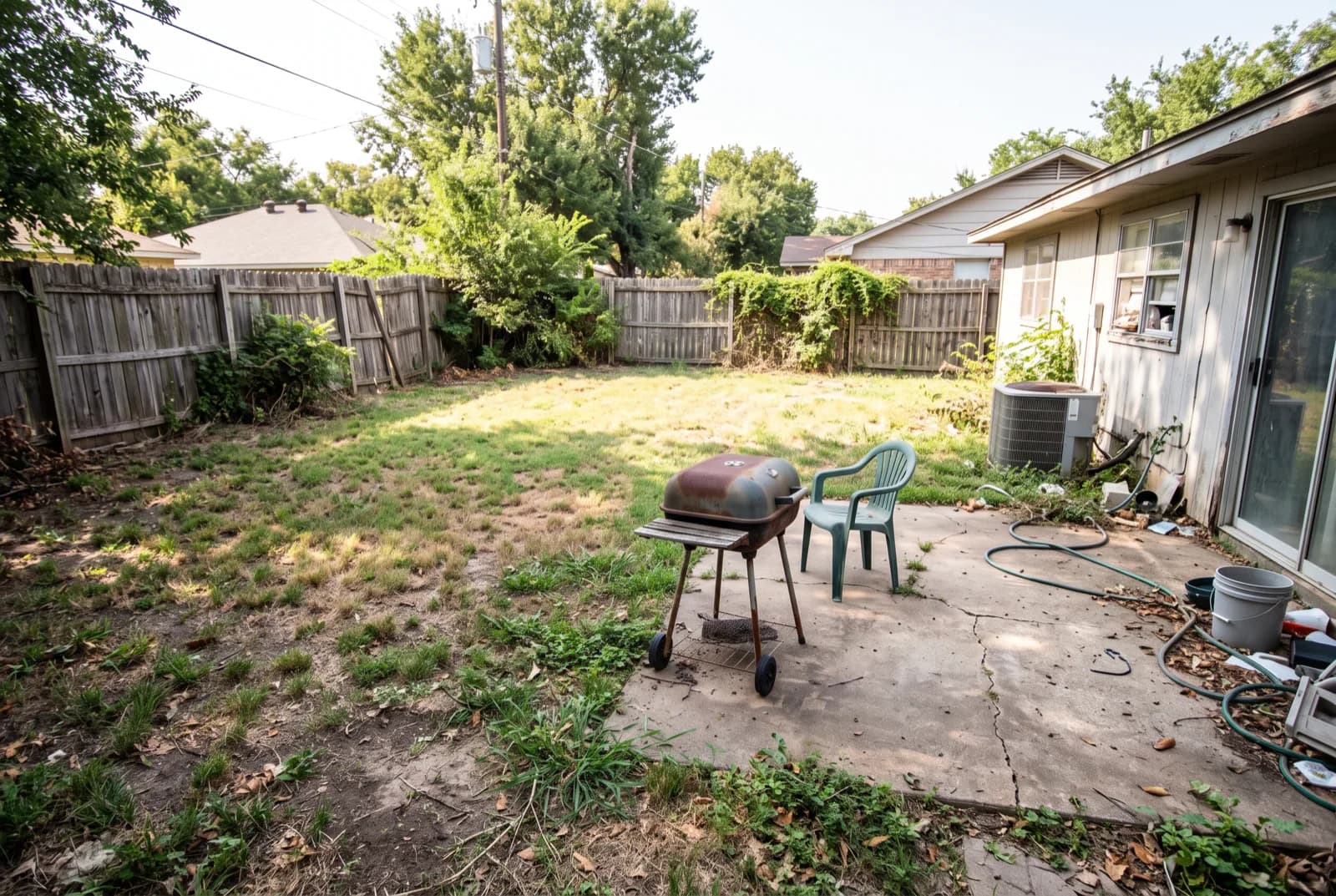
AI-generated sample redesign: Same backyard redesigned as a landscaped garden: lush lawn, planting beds, stone patio and dining set, before
BeforeAfterSample render

How to design your garden with AI

  1. 1Photograph the whole garden or yard in daylight, standing in a corner for maximum depth.
  2. 2Choose the Garden tool, or pick the backyard, patio or front yard space type in RivAI.
  3. 3Pick a style: Mediterranean, Tropical, Japanese and Coastal all suit outdoor spaces.
  4. 4Render in about 30 seconds, then compare zones: dining, lounging, planting.
  5. 5Iterate on details: remove clutter, replace furniture, test seasonal decoration styles.

Which outdoor spaces can AI design?

RivAI's exterior space types cover gardens, backyards, front yards, patios, pool areas, driveways, house exteriors, house decorations and general outdoor spaces. Balconies are listed with the interior room types and work the same way. Small spaces benefit most from a preview, because every square meter has to earn its place.

What makes an AI garden concept useful?

Zoning. A good render shows where the dining zone, lounge zone and planting beds could sit relative to the house, the decision many DIY gardeners get wrong. Use the render to settle zones and hardscape materials (decking versus pavers versus gravel), then choose plants separately for your climate: AI styles the space, but plant survival depends on your USDA hardiness zone.

Garden projectWhat to preview with AI
Patio or deck zonePosition, size, material
Planting bedsDensity, height layers, edges
Path and lightingRoute and fixture placement
Full backyard makeoverZones and style direction

More ways to use RivAI: AI room design app, AI exterior design, AI interior design, free AI landscape design and front yard landscaping ideas.

FAQ

Can AI design a small backyard or balcony?

Yes. Small outdoor spaces are where previews help most, because zoning and furniture scale mistakes show quickly. Photograph the whole space and test 2 or 3 styles before buying anything.

Will the AI pick plants that grow in my climate?

No. The render shows the look: plant forms, heights and density. Translate that to species with your USDA hardiness zone or a local nursery; the visual direction carries over even when species change.

Can I preview seasonal garden or holiday decorations?

Yes. RivAI includes Christmas, Halloween, Thanksgiving, Easter, New Years and Chinese New Year styles, plus a House Decorations space type for exterior holiday styling.

Is garden design with AI free?

RivAI is free to try, gardens included, with a watermark on free results. Pro costs $9.99 a week or $39.99 a year in the US (the annual plan starts with a 3-day free trial) and adds the High Quality tier for finer planting detail.

Last updated 2026-10-09

4.88★ (16 ratings) on the App Store

See it on your own space

Snap it, pick a style, see it redesigned in about 30 seconds.

Download on theApp Store

Free to try · 3-day free trial on annual · Cancel anytime

RivAI: AI Home Design

4.88 (16 ratings) · Free to try

Get app


