
Free AI interior design apps: what you actually get for free
By RivAI Team · · 11 min read
The short answer
Several AI interior design tools are free to try. HomeGPT gives 2 free designs a day with no sign-up, Spacely AI 40 trial credits after you register, and Reimagine Home 5 to new users. RivAI gives 2 per install on iPhone and iPad. RoomGPT and Interior AI are effectively paid, and ChatGPT and Gemini edit photos within unpublished limits.
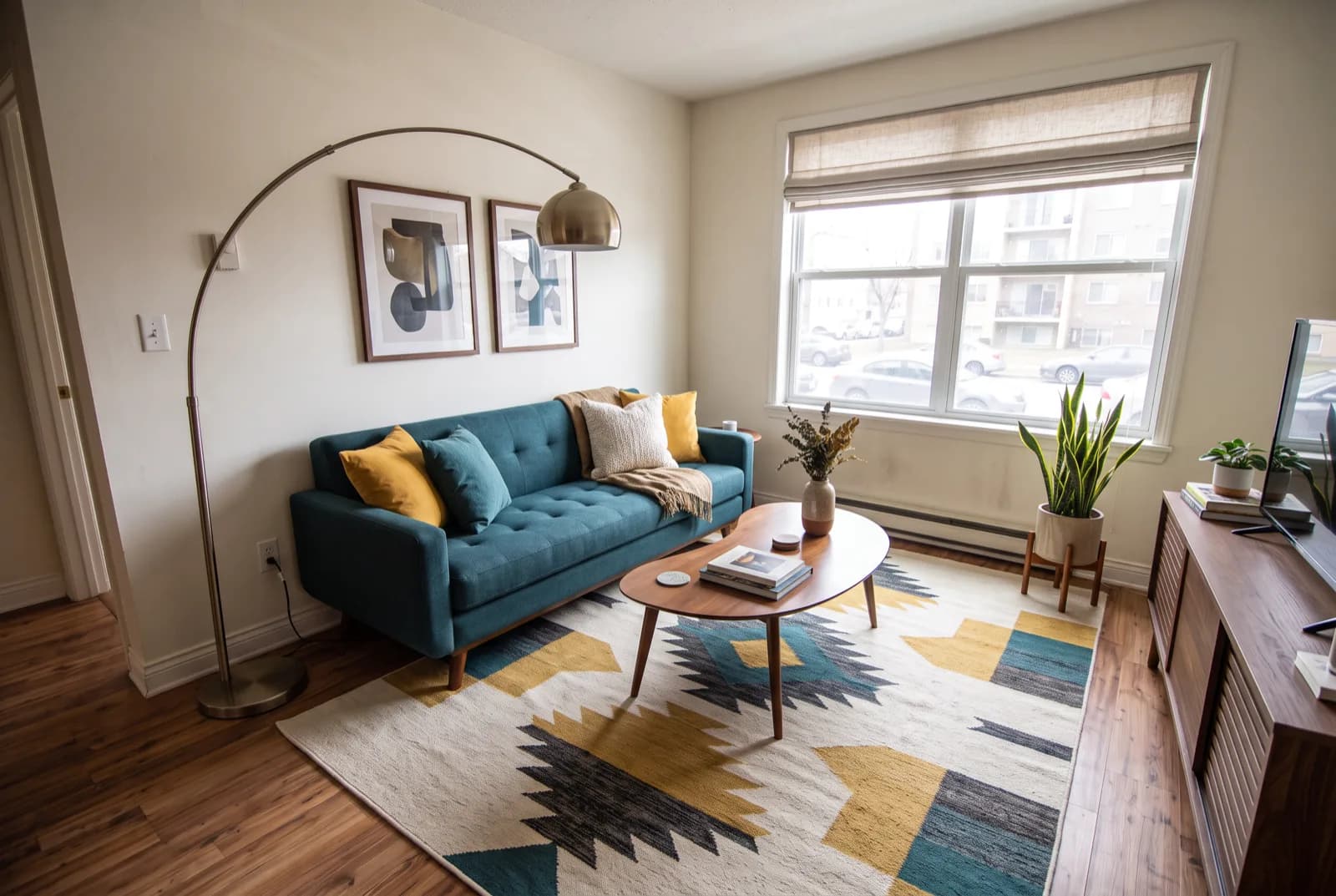
Which AI interior design apps are free to use?
Free AI interior design comes in three shapes: a daily allowance, a one-time batch of trial renders, or a free download that asks for a subscription almost straight away. HomeGPT is the most generous for repeat use, with 2 free designs a day, no sign-up and results that aren't watermarked. Spacely AI gives 40 trial credits and a commercial license once you register. New users of Reimagine Home get 5 free designs with no card.
RivAI, an iPhone and iPad app, gives 2 free designs per install with no account, and those carry a watermark. RoomGPT and Interior AI are effectively paid. ChatGPT and Gemini will also edit a room photo on their free plans, though neither says how many images you get. The trade-off: more free renders usually means a browser and an account, while the phone apps listed here either sell a subscription after a small trial or say nothing about a free allowance.
Here's what each option gives you for free, checked October 2026 against each maker's own pricing page or App Store listing. Where the source doesn't say, the cell reads "not stated" instead of a guess. For features beyond the free tier, our roundup of the best AI interior design apps for 2026 goes further.
| Option | What you get free (checked October 2026) | Watermark on free results | Sign-up | Where it runs |
|---|---|---|---|---|
| RivAI | 2 free designs per install, lifetime, no refill | Yes | None (no account needed) | iPhone and iPad (iOS 17 or later) |
| HomeGPT | 2 free designs a day, reset at midnight UTC; the app page says generating in the app is free | Not watermarked, per its site | No sign-up or card to start | Web, iPhone and Android |
| Spacely AI | 40 trial credits on the free plan, with a commercial license | Not watermarked, per its pricing page | Account required | Web browser, mobile-friendly |
| Reimagine Home | 5 free designs for new users, no card | Not stated for free designs | No card; account not stated | Web browser |
| RoomGPT | No free allowance listed on the home page, only a promo code; sells credit packs | Not stated | Login needed to buy credits | Web browser; an older open-source version can be self-hosted |
| Interior AI | No free tier; Pro from $49 a month | Not applicable | Paid account | Web browser |
| Planner 5D | Free plan at $0; AI Studio credits, AI floor plan recognition and photoreal renders need Premium | Not stated | Not stated | Not stated |
| ChatGPT | Free plan has a separate image limit that resets; no number published | Invisible SynthID watermark plus C2PA metadata (OpenAI) | Not stated | Desktop, mobile and web (OpenAI) |
| Gemini | Free Nano Banana 2 model edits images; no limit published (Google) | Visible watermark plus hidden SynthID | Not stated; image generation is 18+ | Gemini app |
| Home AI (iPhone) | Free download with in-app purchases; free renders not stated in the listing | Not stated | Not stated | iPhone only |
| DecAI (iPhone, iPad) | Free download with in-app purchases; free renders not stated in the listing | Not stated | Not stated | iPhone and iPad |
| AI Remodel (iPhone) | Free download; listed features need a premium subscription, and two weekly plans include a 3-day trial | Not stated | Not stated | iPhone |
What does each free tier actually include?
Web tools with a free tier you can use
HomeGPT gives 2 free designs a day that reset at midnight UTC, with no sign-up or card to start, and its site says results aren't watermarked. Its focus is exteriors and gardens; interiors go through a smaller room tool that covers 6 room types. One warning: several unrelated apps use the HomeGPT name, so check that the developer matches homegpt.app before you download anything. Our HomeGPT comparison covers the interior side in more detail.
Spacely AI puts 40 trial credits on its free plan, with a commercial license and results without a watermark. You have to create an account first. The platform is built for designers and architects, with sketch-to-render and a SketchUp extension, so a homeowner with one phone photo gets more tools than they need. Renders spend credits, so treat the free ones as a trial rather than an allowance. Here's Spacely AI compared side by side.
New users of Reimagine Home get 5 free designs without a card. Its pricing page describes the paid plans as free of watermarks and doesn't say what the free designs look like, so don't count on clean images until you've tried one. The toolset leans toward real estate, with virtual staging and batch processing of up to 50 photos. For a feature-by-feature view, read our full Reimagine Home comparison.
Web tools that are mostly paid
RoomGPT shows no free allowance on its home page, only a promo code, and sells credit packs. Its original version is open source under the MIT license, so a developer can run it at no cost, though that version has only 5 themes and 6 interior room types. If paying per credit is a dealbreaker, these RoomGPT alternatives are worth a look.
Interior AI has no free tier: Pro costs $49 a month (or $29 a month billed yearly), with Premium and Ultra above it, and the money buys 55+ styles plus virtual staging and outdoor design modes. Skip it if free is the point.
Planner 5D has a $0 Free plan, but its AI tools (AI Studio credits, AI floor plan recognition and photoreal renders) need Premium, at $19.99 a month or $59.99 a year with 100 AI Studio credits a month. It earns a spot here for one reason. When you need a plan of the room more than a picture of it, a planner is the right kind of tool.
Other iPhone apps
Three other iPhone apps say little about free use. Home AI and DecAI are free downloads with in-app purchases, and neither listing says how many renders you get before the paywall. DecAI does sell a one-time lifetime purchase at $49.99 in the US, which helps if you dislike subscriptions. AI Remodel is the most direct: its listing says you'll need a premium subscription to use its features, and two of its weekly plans start with a 3-day trial.
Can ChatGPT or Gemini design your room for free?
Yes, within limits. Both chat apps let you upload a room photo, describe the change and get an edited image back on their free plans. Since ChatGPT Images 2.5 arrived on September 8, 2026, OpenAI says details stay consistent across edits and comment-based edits change only what you ask for. In Gemini, the free Nano Banana 2 model edits images, while the newer Nano Banana 2.1 needs a paid plan.
The catch is precision and quantity. OpenAI's help page notes that highlighted selections aren't always precise and that edits can spill past the area you picked, so a request to recolor one wall can drift onto the sofa. Neither company publishes a free image count: ChatGPT's free tier FAQ only says image generation has its own limit and shows when it resets.
Gemini images carry a visible watermark plus a hidden SynthID mark, and ChatGPT images carry an invisible SynthID watermark and C2PA metadata (OpenAI). A chat app also has no room types, style list or keep-the-layout switch, so you write the whole brief yourself every time. If you outgrow the free limit, ChatGPT Plus costs $20 a month at the time of writing.
To get a usable room edit from a chat app, write the brief like this:
- Start with a clean photo: shoot the room straight on in daylight, from a doorway or corner, with clutter cleared off the floor.
- Name the room and the style in the first line, for example "Restyle this living room in a mid-century modern style."
- List what must stay: "Keep the windows, walls, ceiling and wood floor exactly in place."
- Ask for two or three concrete changes, not ten. A teal sofa, a walnut sideboard and a 5 x 8 ft (152 x 244 cm) rug is plenty for one pass.
- Fix one thing per follow-up message instead of rewriting the prompt, since OpenAI says comment-based edits change only what you ask.
What are the catches with free AI room design?
Treat every free tier as a sample, and check six things before you upload a photo of your home.
- Watermarks. Gemini adds a visible watermark, and some phone apps mark their free results. HomeGPT and Spacely AI say theirs carry none, which matters if you want to post or print the image.
- Sign-up walls: Spacely AI wants an account before the first render, while HomeGPT lets you start without one. An account ties your room photos to your email, so read the privacy policy if the shot shows anything personal.
- Daily versus lifetime. Two a day adds up over a month; 2 per install or 5 per new user is a one-time taste. Credits sit in between.
- Commercial use is rarely spelled out. Spacely AI states a commercial license on its free plan; for a listing or client work anywhere else, read the terms and label AI-altered photos.
- Unpublished limits. ChatGPT, Gemini, Home AI and DecAI don't publish a free number, so you find the ceiling when you hit it.
- Platform. Web tools run on anything with a browser, but the iPhone apps here need an iPhone or iPad, so Android owners should stick to the web tools or a chat app.
How can you try a free AI redesign on your own room?
On an iPhone or iPad, RivAI is one free option. Open the AI interior design app without creating an account, take or pick a photo, choose one of 18 room types and one of 43 styles, and set Keep Structure if the walls, windows and layout should stay put. A Standard render takes about 30 seconds, and a before/after slider shows what changed.
For a single change, the Paint tool recolors one surface (walls, ceiling, cabinets, doors, trim or siding) with a swatch or a hex code typed into the iOS color picker, and Remove Objects erases whatever you brush over.
The limits are real. You get 2 free designs per install, they don't refill, and free results carry a RivAI watermark. It runs only on iPhone and iPad with iOS 17 or later. Pro drops the watermark and costs $9.99 a week or $39.99 a year (US prices at time of writing), with a 3-day free trial on the annual plan. Each result is a preview of a look, not a plan you can build from.
Which free AI interior design app is best for you?
Pick by what you'll do with the free renders. No single tool wins on every count, and the best free option for a front yard is a poor one for a bathroom.
- Lots of free renders over a few weeks: HomeGPT, with 2 designs a day and no account. It's strongest on exteriors and gardens.
- A bigger one-time batch you can use commercially points to Spacely AI and its 40 trial credits, if you're fine signing up.
- Listing photos: Reimagine Home, whose 5 free designs are enough to test its staging tools before paying.
- An iPhone or iPad, no account, a few looks to compare: RivAI fits, with 2 free tries, 43 styles, and Paint and Remove Objects for single edits. Android and desktop users should look elsewhere, and so should anyone who wants many free renders.
- Need a plan of the room rather than a picture? Planner 5D, keeping in mind that its AI features are paid.
- Already paying for ChatGPT, or happy to write prompts in Gemini: start there, since it costs nothing extra. Spell out what must stay, or the edit will wander.
FAQ
Is RoomGPT free to use?
Not in a useful way. When checked in October 2026, the RoomGPT home page listed no free allowance, only a promo code, and the site sells credit packs. An older open-source version is free under the MIT license, but you'd have to host it yourself, and it offers just 5 themes and 6 interior room types.
Is there a free AI that can design my room without signing up?
Yes. HomeGPT's website lets you start with 2 free designs a day and no sign-up or card, per its home page in October 2026. RivAI needs no account either, though it gives 2 free designs per install, runs only on iPhone and iPad, and free results carry a watermark.
Can I use free AI room designs for a listing or client work?
Check the license first. Spacely AI's pricing page states a commercial license on its free plan, while most other free tiers in this comparison don't say either way. If you use an AI-altered photo in a property listing, label it as a virtual rendering so buyers know what's real.
Why does a free AI redesign move my windows or change my floor?
Most tools regenerate the whole image from your photo and the style you pick, so structure can drift. Use a keep-the-layout option where one exists, such as RivAI's Keep Structure, shoot the room straight on in good light, and say in your prompt which parts must stay.

RivAI Team
We build RivAI, the AI home design app for iPhone, at PixelPort LLC. RivAI is our product, so read our picks with that in mind: we take no payment for placements, and every product claim is checked against the app. About us · Editorial policy.
Published · Last updated
- #ai interior design
- #free apps
- #app comparison
- #iphone
Keep reading
 App news
The best interior design apps for iPhone in 2026, by job
No single app does everything. Here's which iPhone interior design app fits each job, from 3D planning and LiDAR scans to paint previews and AI photo redesign, with each one's limits.
· 11 min read
 App news
How to redesign your room with AI in 3 minutes (RivAI walkthrough)
From photo to finished redesign in about three minutes. Here is exactly what to do in each minute, and which edit to make first.
· 5 min read
 How-to
How to remove objects from photos on iPhone (with or without Clean Up)
Clean Up in the iPhone Photos app erases distracting objects with a tap or a brush stroke, if your phone supports Apple Intelligence. Here's how to use it, why it might be missing, and what to do instead.
· 10 min read



Try this on your own room
Snap it, pick a style, see it redesigned in about 30 seconds.
Free to try · 3-day free trial on annual · Cancel anytime
